

Introduction
In some deployments, you may need to support several URLs (with different domains or subdomains) with the same Vouch instance. For example, your organization may have web1.com, web2.com, and app.sub.web1.com, all of which share the same Terms of Service and Privacy Policy.
Instead of maintaining separate configurations, you can add multiple URLs to a single configuration in Vouch. This reduces maintenance, ensures consistency, and allows you to reuse the same OIDC client.
Prerequisites
Before adding new URLs, make sure that:
- All URLs share the same Terms of Service and Privacy Policy.
- All URLs are served over HTTPS.
Step-by-step guide
-
Open your Vouch configuration
Go to the configuration page of your Vouch instance in Gataca Studio.
-
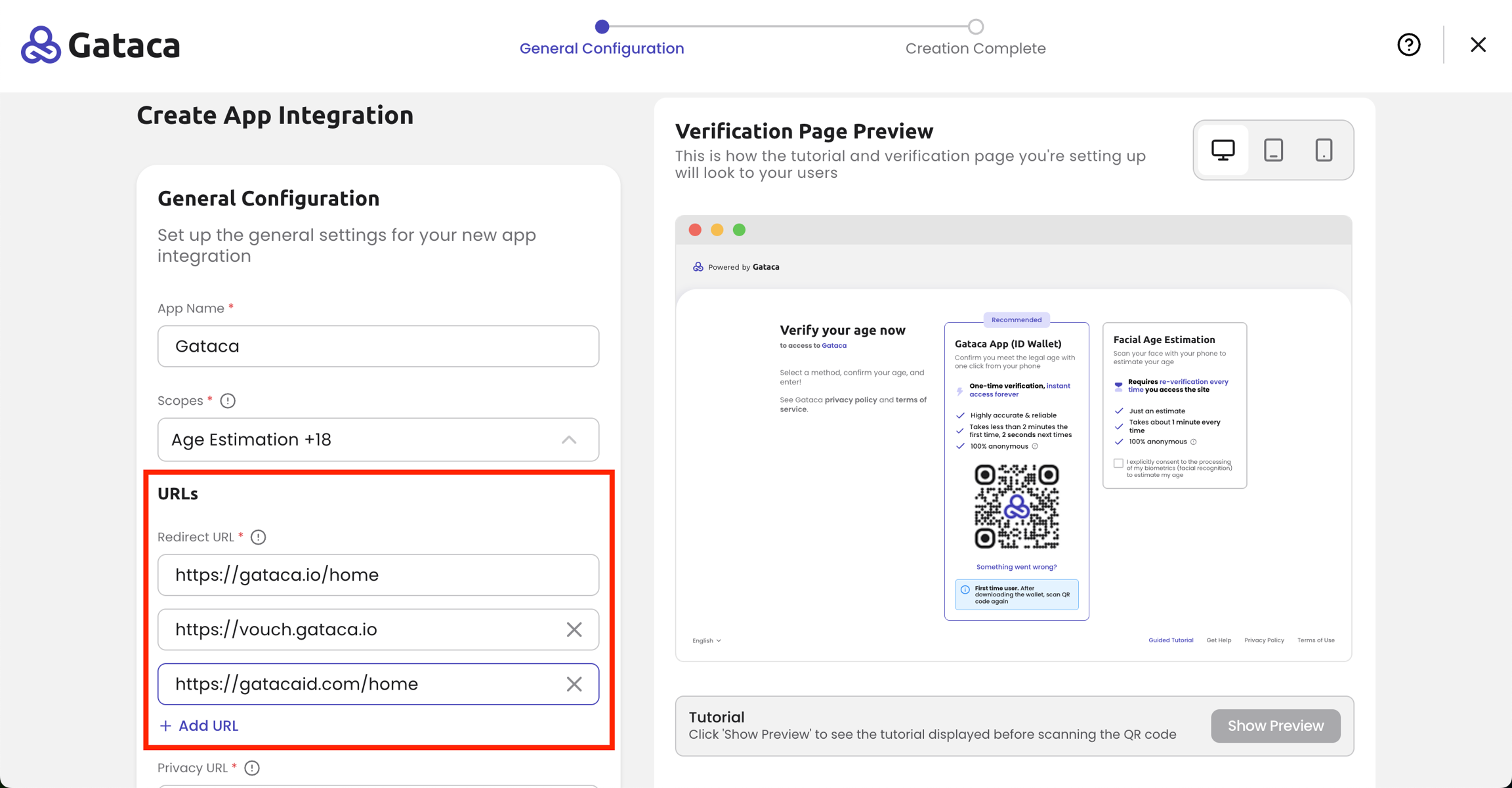
Add a new domain
- Click "+ Add URL" button.
- Enter the full URL (e.g. https://newdomain.com) and the path in case it's not the root (e.g. https://newdomain.com/example).
- Make sure you include the correct format (protocol + domain).
-
Repeat as needed
You can add multiple URLs in the same way. All of them will be covered by this single Vouch configuration.
Notes and limitations
- If your new URL has different Terms of Service or Privacy Policy, you must create a separate Vouch configuration.
- Make sure all URLs are properly secured with HTTPS, otherwise the Vouch flow may fail.
- Regular expressions or wildcards (e.g., *) are not supported.
- Monitor authentication logs after adding new domains to confirm that no redirect or CORS issues appear.
Conclusion
By adding multiple URLs to a single configuration, you can streamline authentication across your organization’s applications, reduce duplication, and keep your identity flows consistent.
Once configured, Vouch will handle authentication seamlessly for all the listed URLs.