

At Gataca, we've added NFC (Near Field Communication) to our user wallet, making it easier for you to interact with NFC tags. With this feature, you can simply tap your phone to an NFC tag—just like scanning a QR code or clicking a deep link.
Our NFC feature works with both iPhone and Android devices, making this a versatile and efficient solution for engaging with digital content or services.
How to use NFC with the Gataca Wallet
Step 1: Write the NFC Tag with NDEF Format
The first step in the process is preparing the NFC tag. The relying party will write the tag in NDEF format (NFC Data Exchange Format) using the standard openid-vp://... URIs, just like when creating a QR code for OpenID Connect.
This URI will contain all the necessary information for the process, such as authentication or credential issuance.
openid-vp://?client_id=https%3A%2F%2Fconnect.gataca.io%2Fapi%2Fv3%2Ftenants%2F{tenant}%2Foidc-verifier%2F{template_name}&response_mode=direct_post&response_type=vp_token&scope=openidAt the top, a URL is provided as an example. In the previous example, a URL was used for a specific verification based on a template. This template is generic, meaning it can be used for any verification process. As a result, all applications or devices utilizing this template will remain transparent to the verifier, who will not be able to determine which specific application or device executed the verification.
For use cases where differentiation is essential (e.g., access control through turnstiles, where only the designated turnstile should open, even though all turnstiles share the same template), we have included parameters in the request. These parameters allow applications and devices to be identified accordingly.
openid-vp://?client_id=https%3A%2F%2Fconnect.gataca.io%2Fapi%2Fv3%2Ftenants%2F{tenant}%2Foidc-verifier%2F{template_name}?param1=value1%26param2=value2&response_mode=direct_post&response_type=vp_token&scope=openid
In this example, two parameters, param1 and param2, have been included, with values value1 and value2, respectively. These values can be used to identify a specific application or device.
Continuing with the previous example, param1 represents the building, with value1 set to “main,” while param2 corresponds to the turnstile, with value2 set to “turnstile 2”.
This allows the verifier to identify the specific turnstile that executed the verification. Consequently, if the validation is successful, turnstile 2 in the main building should be opened.
Note that extra parameters need to use "%26" instead of use "&" because this part its url-encoded
Instructions:
- Use an NFC writing tool or app that supports the NDEF format.
- Write the
openid-vp://...onto the NFC tag. - Ensure the tag is encoded correctly with the required information.

Step 2: Activate NFC on the Wallet
Before reading the tag, you’ll need to activate the NFC feature on the Gataca Wallet to ensure it's ready to receive data from the NFC tags.
How to Enable NFC:
- Open the Gataca Wallet app.
- Click on Scan in the credentials screen.
- Press the NFC button to activate it.
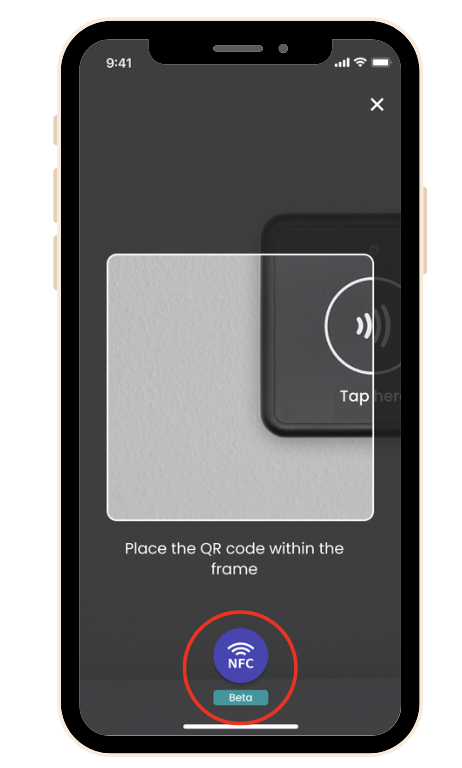
Note: This feature is currently in beta.
Step 3: Tap the NFC Tag
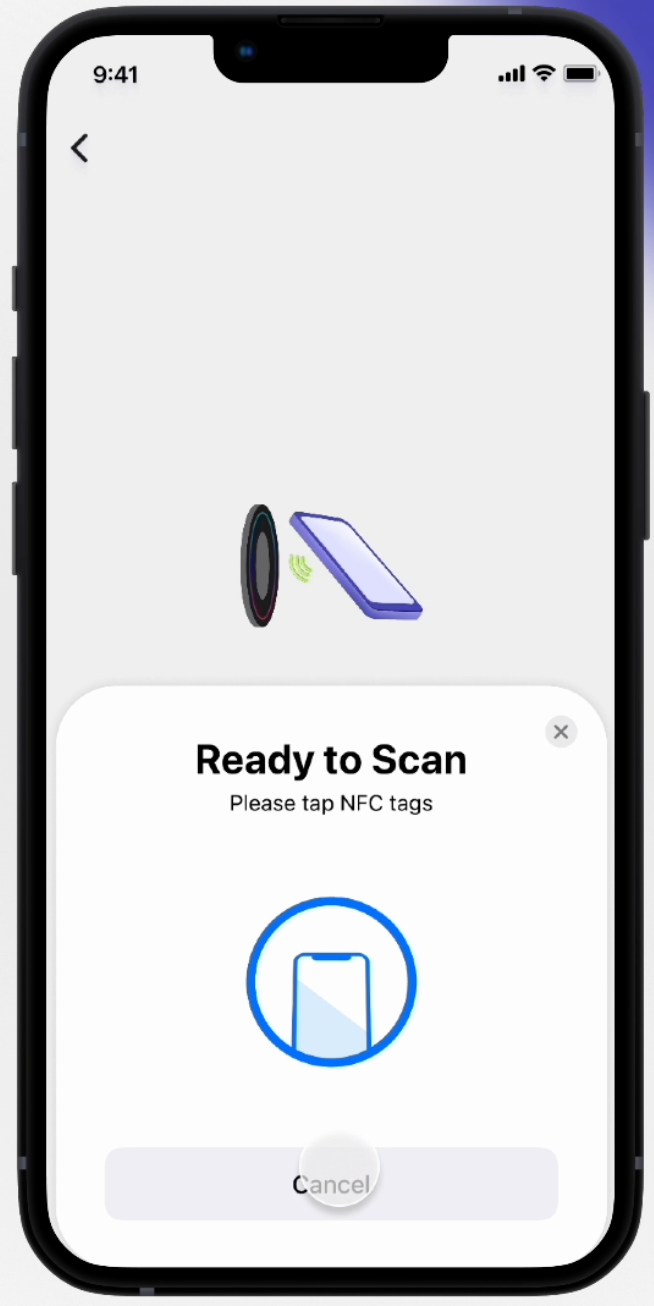
Once NFC is enabled in your wallet, you're ready to tap your phone on the NFC tag to start the process.
The information written into the tag (i.e., the openid-vp://... ) will be exchanged with the wallet, and the associated process will be triggered.
How to Tap the Tag:
- Hold your phone close to the NFC tag (about 2–4 cm away).
- Make sure your phone’s NFC reader is active (this usually happens automatically on most modern smartphones).
- The wallet will automatically read the data from the tag and trigger the appropriate action.
Step 4: Review and Consent
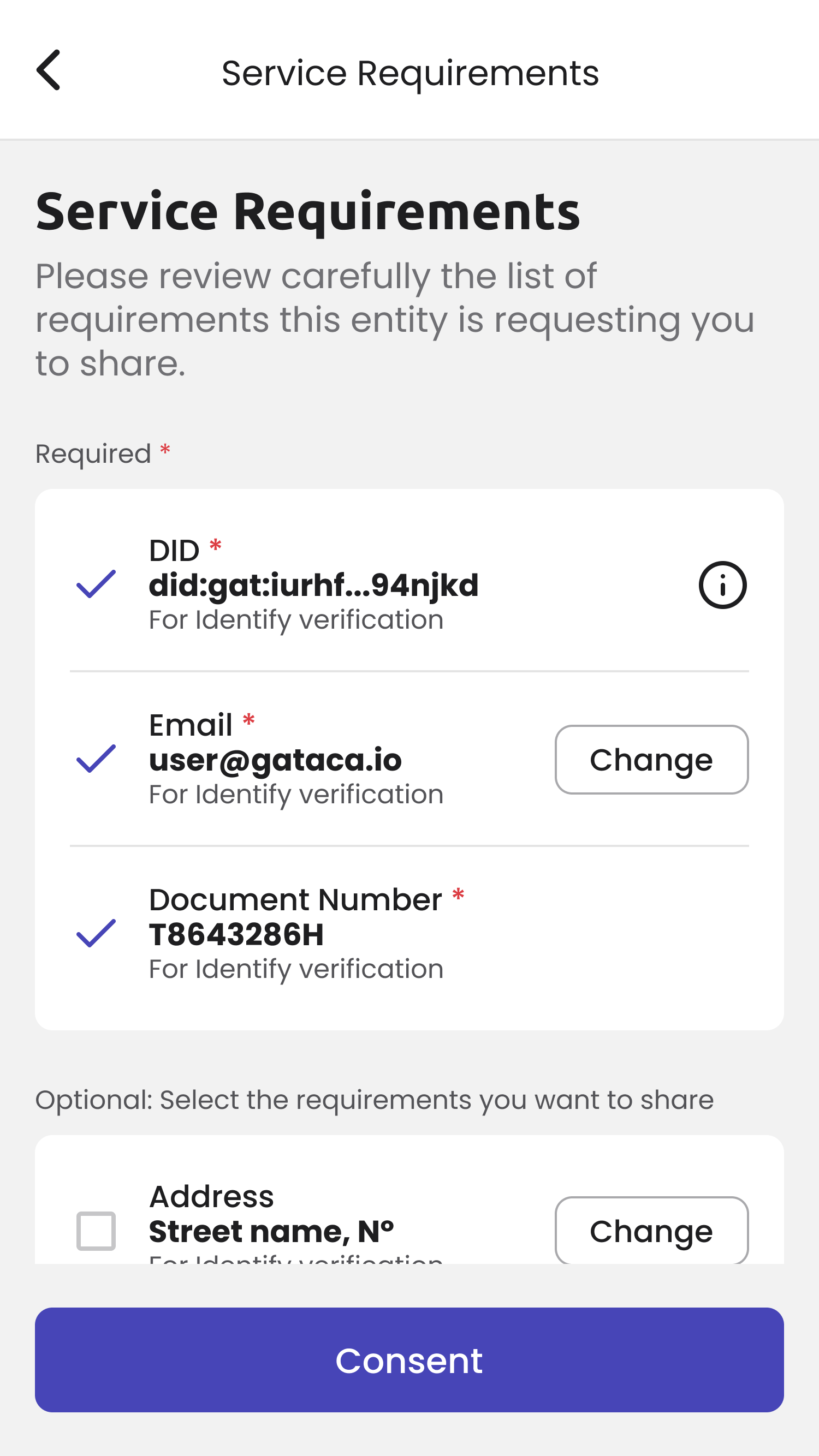
After the wallet reads the NFC tag, you’ll be asked to confirm if you consent with sharing your information with the third party. This step is important in securing the data exchange process.
How to Consent:
- Review the information being requested.
- If you agree to share your information, press "Accept" or "Consent" to continue.
Step 5: Process Completed
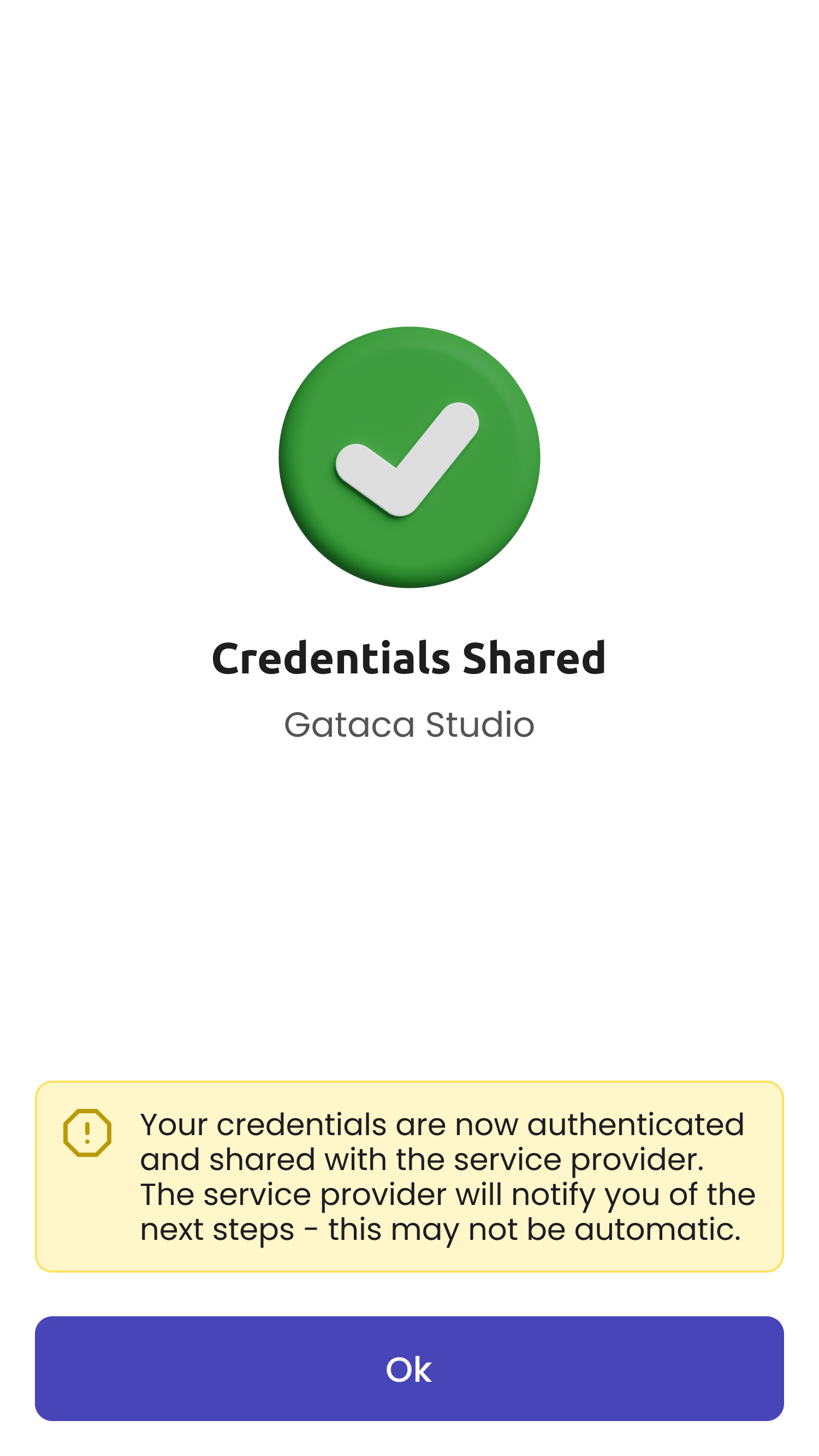
Once you’ve given your consent, the process will be completed. Depending on the type of action, you will either receive a credential in your wallet or complete a validation process.
What Happens Next:
- If it's a credential issuance process, you'll receive the new credential in your wallet along with a confirmation message.
- If it's a validation process, you'll see a confirmation that your information has been successfully verified.
Step 6: Verification finished
For the verification to be successful and for the verifier to correctly read the values provided in the parameters, it is essential to use the web-hooks available in the template configuration. This ensures that the platform will send the collected data to the verifier’s designated service, including the parameters specified in the previously configured URL, if applicable.