

Create an API Key
- Go to the "API Keys" section in the left menu and click "Create API Key."
- Configure the API Key:
- API Key Name: Choose a name for your API Key.
- DID: Select the DID associated with the API Key. This determines which administrators can access it.
- SSI Operations: Select the credential issuance template you want to link to this API Key.
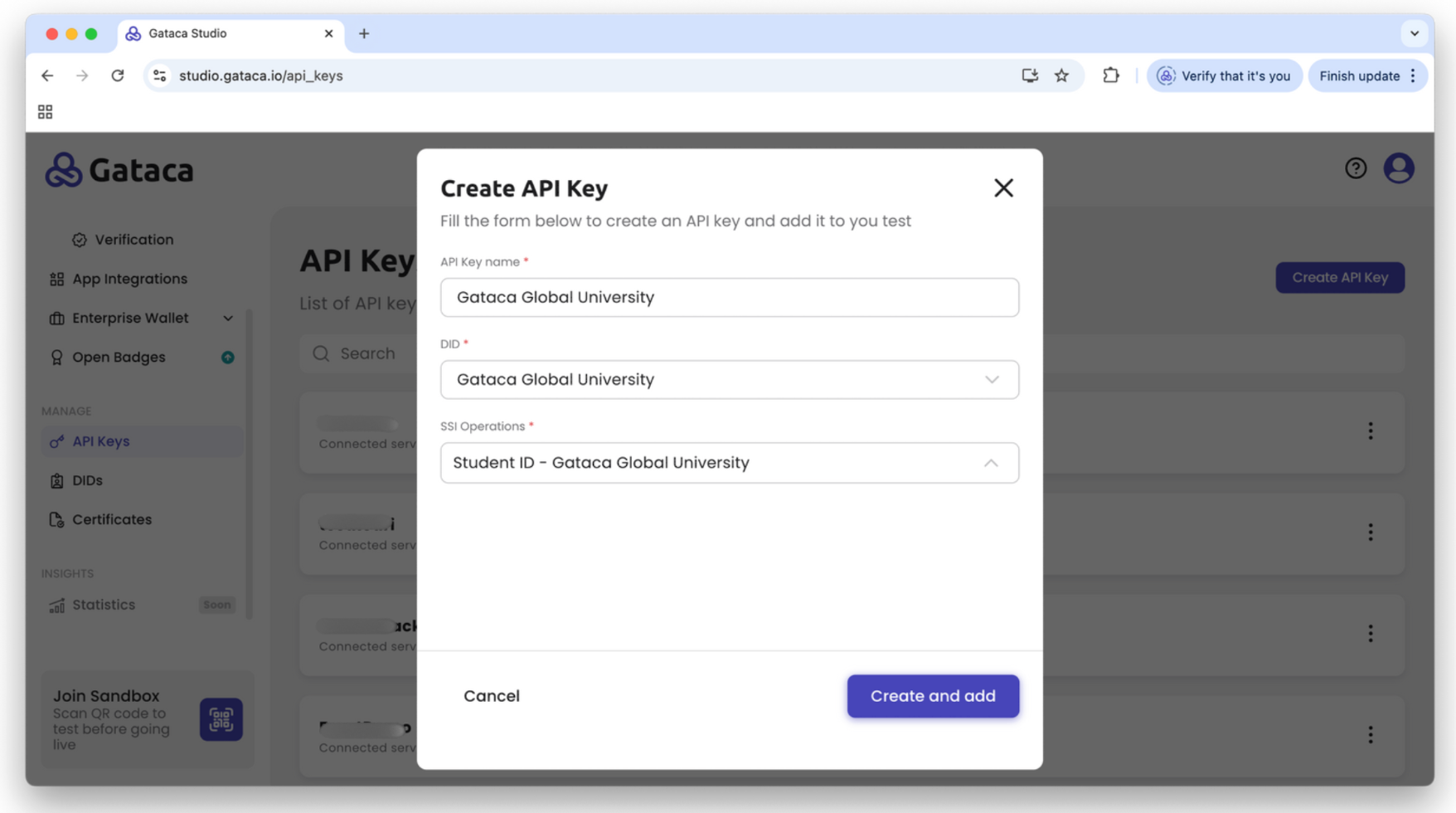
- Save the API Key information. You’ll receive the API Key ID and password.
Make sure to store the API key password in a secure place. Once you close this tab, you will not be able to retrieve the password, you will only be able to regenerate a new password.
Regenerate API Key password
To regenerate the password for an API Key:
- Navigate to the API Keys section.
- Locate the API Key for which you want to regenerate the password.
- Click the three dots next to the desired API Key.
- Select Regenerate Password from the options.
- A new password will be generated immediately.
Make sure to store the API key password in a secure place. Once you close this tab, you will not be able to retrieve the password, you will only be able to regenerate a new password.